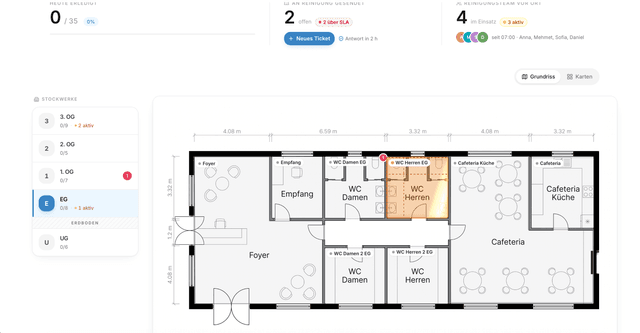

Taskey workspace for cleaning operations · overview of scheduling, NFC time tracking and proof of service
Start for free

Create an account and work in the workspace right away.

Create an account, open the workspace, start. Time tracking, scheduling, sites, proof of service, quotes and invoicing are there from minute one.

No credit card. No installation. Setup under 10 minutes.

In the operation in three steps

Cleaner opening the Taskey mobile app on an office job right after the first login
1 — Create an account

Email and company. Workspace is provisioned in seconds, SSO and roles are ready.

Dispatcher planning assignments and sites in Taskey scheduling on a laptop
2 — Add sites and team

Load sites, teams, staff and clients. Import from CSV or add manually.

Hand with smartphone scanning an NFC tag on site for Taskey time tracking
3 — Go live

Plan the first assignments, hand out NFC tags on site, the first proofs land in the system the same day.

What you get from the first login

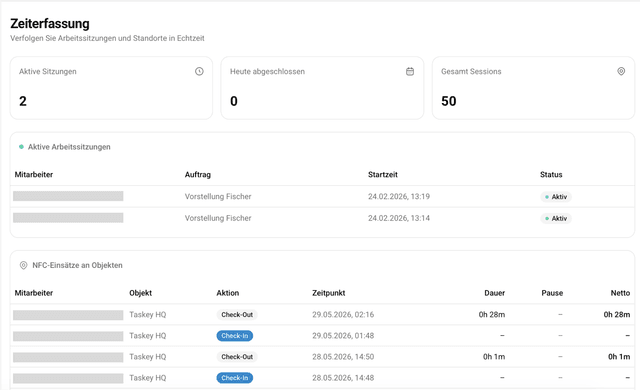
NFC time tracking by Taskey on a cleaning site

NFC time tracking tied to the site

Staff scan the NFC tag on site. Time, place, person are captured and provable, without paper and without follow-up.

Mehr erfahren →
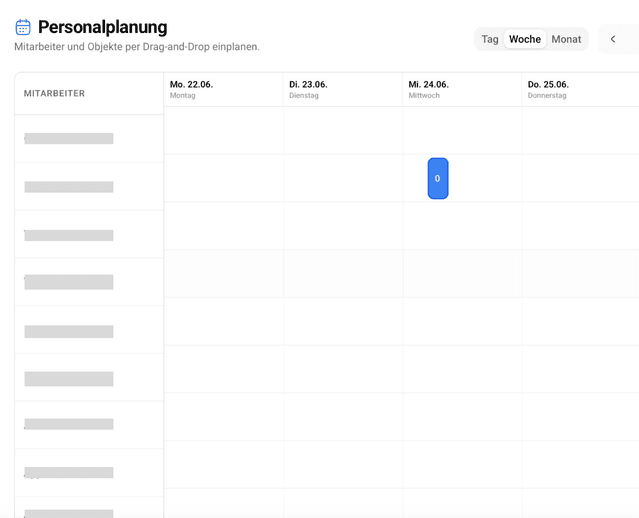
Scheduling for cleaning operations · calendar with teams and sites

Scheduling as a calendar

Teams, routes and sites in one interface. Sick calls are reassigned by drag and drop in seconds.

Mehr erfahren →
Taskey DATEV export for invoices and hours in cleaning operations

Quotes, invoices, DATEV export

From job to invoice in one flow. DATEV export for the accountant is included.

Mehr erfahren →
Taskey client portal · client sees cleaning services and reports live

Client portal

Clients see status, records and photos live. Complaints are captured in a structured way, not by phone.

Mehr erfahren →

What is in your workspace

Everything on this page is part of the product. After login you find the same modules in your workspace. No project plan, no upfront workshop.

  • · Login, workspace, mobile app from minute one
  • · Admin console with roles, permissions and audit log
  • · REST API, webhooks, SSO and RBAC on enterprise plans
  • · GDPR compliant, hosting in Germany

What operators get out of it

  • · Paperless proof for every assignment
  • · Fewer calls from the office and from the client
  • · Transparent margin per site in real time
  • · No double entry in Excel, DATEV or the CRM

Frequently asked

Is Taskey really free to use?

Yes. The account is free. You can add sites, staff and first assignments, track hours and generate proof of service. Larger plans with more staff, DATEV export, SSO and the API are paid.

Do I need to install anything?

No. Taskey runs in the browser and in the mobile app. No installation, no local setup, no own server. Hosting is in Germany, operated under GDPR.

How long does setup really take?

The workspace is up in seconds. First productive runs with NFC time tracking and scheduling are typically on the same day. No consultants, no workshops.

Do I need to leave a credit card?

No. The free account does not require payment information. You can upgrade later.

Can I bring existing data?

Yes. Sites, staff and clients can be imported via CSV. For ERP, HR, payroll and BI there is a REST API and webhooks.

Then why would I book a call?

Only if you want to. Taskey works straight out of the account. A 30-minute discovery call is useful for operators planning rollout, SSO, integrations or a migration from a legacy system.

Straight into the workspace.

Create an account and see what your operation looks like in Taskey within ten minutes.
Try cleaning operations software free | Taskey | Taskey